How to Create Your Dream Wedding Moodboard with AI (2025 Guide)
Author

You've been engaged for three months. Your Pinterest has 200 pins scattered across 12 wedding boards. You've saved everything from rustic barn vibes to modern minimalist tablescapes to "garden party but make it glamorous."
And somehow... you still have no idea what YOUR wedding actually looks like. Sound familiar?
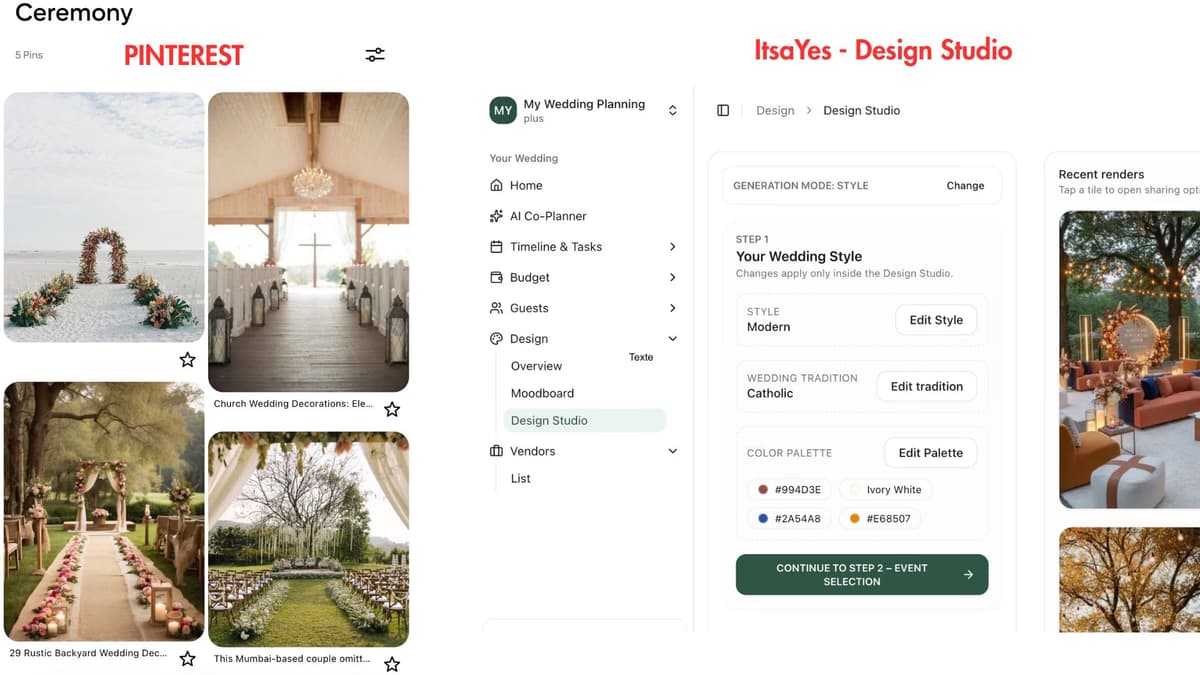
Here's the thing about Pinterest: it's incredible for collecting inspiration. But there's a massive gap between saving someone else's wedding photos and actually visualizing YOUR day with YOUR colors, YOUR style, YOUR vibe – all working together.
That gap? AI just closed it.
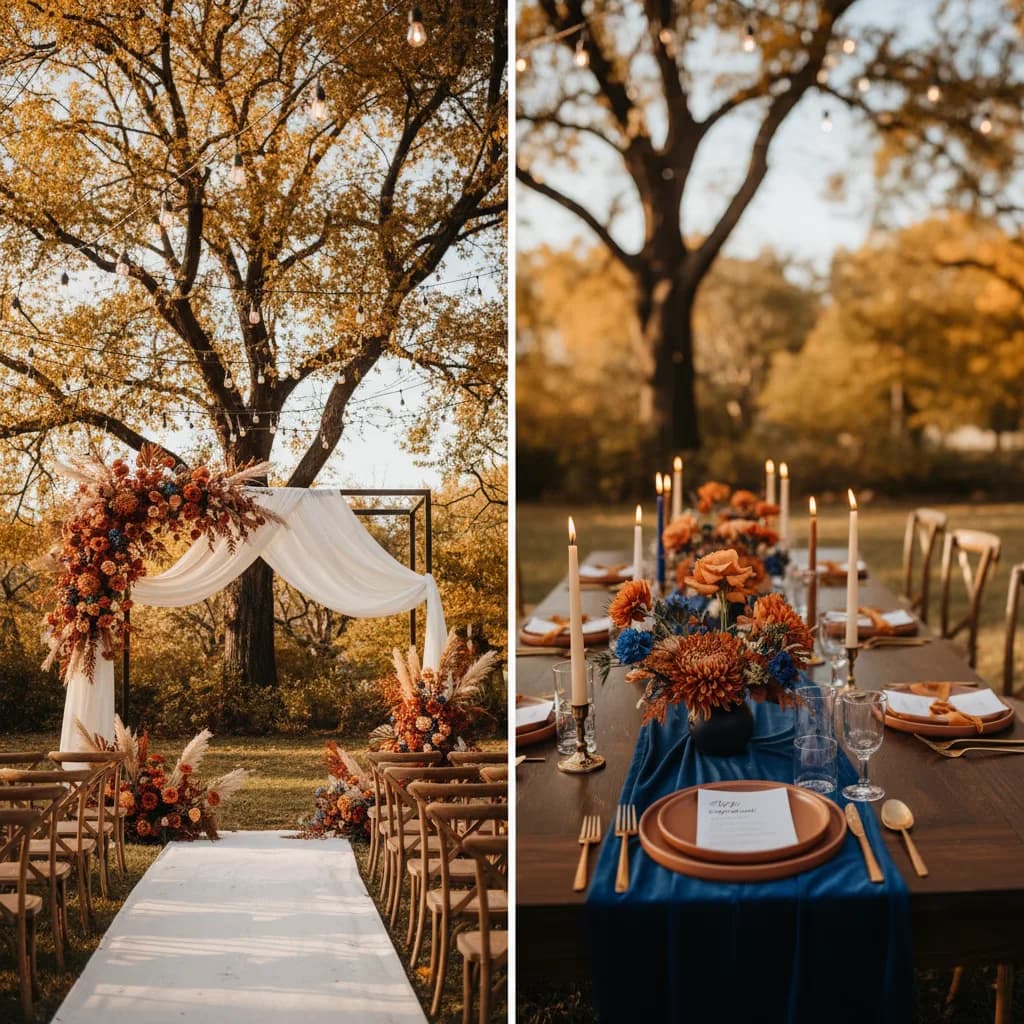
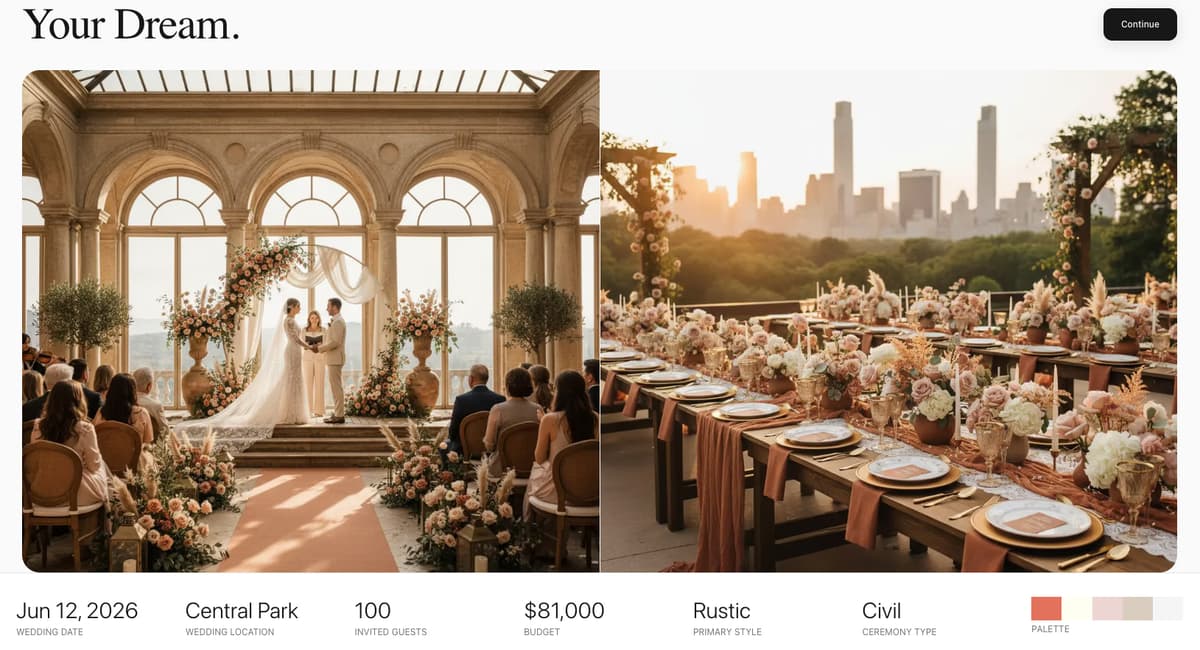
In 2025, you can now generate images of your actual wedding before spending a single dollar. Not collages of other people's celebrations. Not mood boards stitched together from 50 different events. Actual visualizations of what YOUR ceremony, YOUR reception, and YOUR florals could look like.
In this guide, we'll walk you through exactly how to create a wedding moodboard using AI – from understanding what makes a great moodboard, to choosing the right tools, to sharing it with your vendors in a way that actually gets results.
Let's turn that Pinterest chaos into a clear vision.
What Is a Wedding Moodboard
A wedding moodboard isn't a wishlist. It's not a collection of pretty things you'd like to have. It's a visual representation of the FEELING of your wedding.
Think of it this way: if your wedding were a movie, the moodboard would be the cinematographer's reference, capturing the lighting, the colors, the textures, the overall atmosphere before a single scene is filmed.
A strong wedding moodboard typically includes:
- Color palette – not just "blush and sage" but the actual tones and how they interact
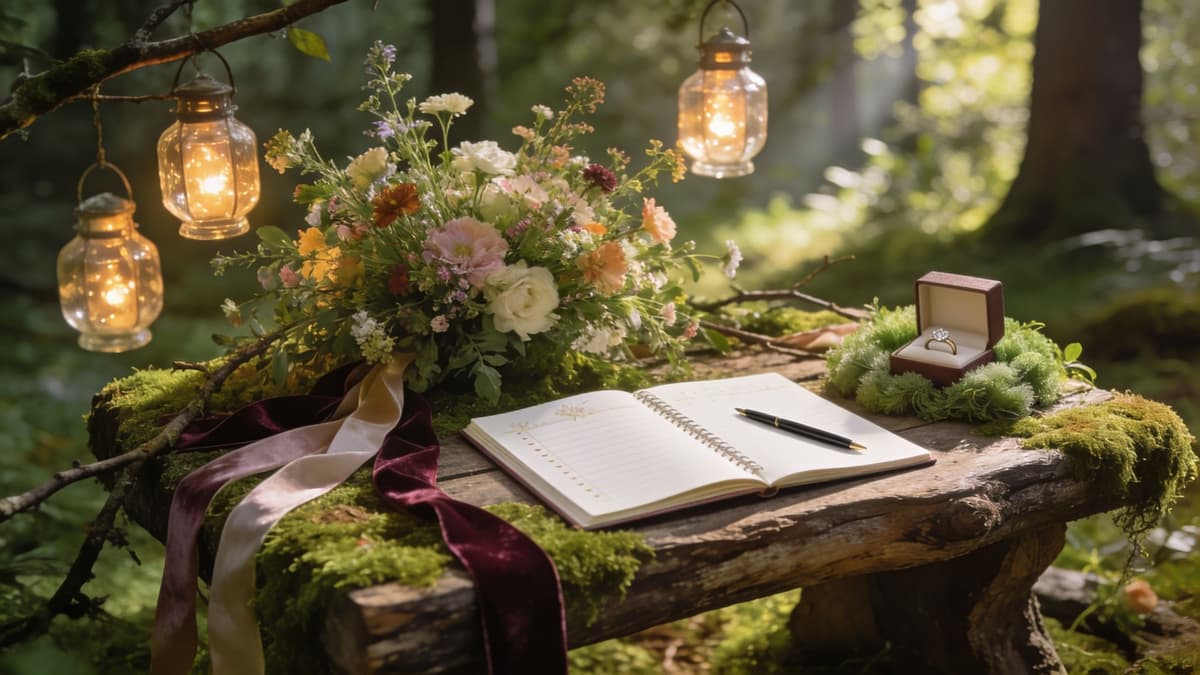
- Textures and materials – velvet ribbons, raw wood, delicate lace, brushed gold
- Lighting mood – golden hour warmth, romantic candlelight, bright and airy
- Floral style – wild and organic, structured and modern, lush and romantic
- Overall atmosphere – the vibe guests will feel when they walk in
The reason you need one BEFORE contacting vendors? It saves everyone hours of back-and-forth. When your florist can SEE that you want organic, garden-style arrangements in muted tones rather than trying to interpret "romantic but not too traditional," magic happens.

Moodboard vs Vision Board: What's the Difference?
People use these terms interchangeably, but they're actually different tools:
Vision board = What you WANT. Goals, dreams, aspirations. It answers: "What am I trying to achieve?"
Moodboard = How it LOOKS and FEELS. Aesthetics, atmosphere, emotion. It answers: "What does it look like in real life?"
For wedding planning, you need both. Your vision board might include "intimate celebration," "stress-free experience," "honoring our heritage." Your moodboard shows what that actually looks like visually.
This guide focuses on the moodboard – the visual tool that brings your vision to life.
💡 Pro tip: Your moodboard should answer one question: "What does my wedding FEEL like?" If you can't describe the feeling in 3 words, you're not ready to create one yet.
The Pinterest Problem: Why Scrolling Isn't Planning
Let's be clear: Pinterest is amazing. It's democratized wedding inspiration in ways that didn't exist 15 years ago. Your mom planned her wedding with a magazine clipping folder. You have access to millions of ideas instantly.
But that access comes with a cost.
The Overwhelm Is Real
According to recent studies, over 60% of couples report feeling overwhelmed during wedding planning – and endless scrolling is a major contributor. You sit down for "10 minutes of inspiration" and emerge three hours later with 47 new pins and zero clarity.
Every scroll introduces a new idea. A new style. A new "what if." And suddenly, your vision isn't getting clearer – it's getting muddier.
It's Always Someone Else's Wedding
Here's the uncomfortable truth: 90% of the images you're saving on Pinterest are from:
- Professional styled shoots with unlimited budgets
- Magazine features with teams of designers
- Celebrity weddings that cost more than your house
These images were created to be beautiful, not realistic. The lighting was perfect. The flowers were at peak bloom. Everything was styled by professionals and shot by photographers who do this for a living.
When you try to recreate these moments, the gap between expectation and reality can be crushing.
Nothing Is Actually YOURS
The biggest problem? You're collecting fragments of 100 different weddings and somehow expecting them to form a cohesive vision of ONE wedding – yours.
You love the bohemian florals from that Malibu wedding. The modern stationery from that NYC loft celebration. The rustic wood accents from that barn wedding in Vermont. The glamorous lighting from that ballroom in Chicago.
But do they work together? How would YOUR version of "boho modern with rustic touches and glamorous lighting" actually look?
You have no idea. Because you've never seen it.
Lost in Translation with Vendors
"Here's my Pinterest board!" you say, sending your florist a link to 200 pins.
She opens it. Scrolls. Sees cottage-style roses next to tropical orchids next to wildflower meadows next to structured peonies.
"So... which direction are you thinking?"
And suddenly you're back at square one, trying to articulate something you can picture in your head but can't quite describe. The vendor guesses. You get something that's "close but not quite right."
Everyone's frustrated.
There has to be a better way. And in 2025, there is.

How AI Wedding Moodboard Generators Actually Work
AI wedding visualization tools flip the script on traditional moodboarding. Instead of collecting OTHER people's wedding images, you describe YOUR wedding and the AI generates what it could look like.
It's the difference between:
- Old way: "Here are 50 images from other weddings that sort of represent what I want"
- New way: "Here's what MY ceremony with MY colors at MY time of day actually looks like"
The Basic Concept
You provide inputs – style, colors, season, venue type, cultural elements – and AI generates completely original images based on YOUR specifications.
Want to see "autumn garden ceremony with burgundy and sage, romantic but not too rustic, late afternoon golden hour light"?
You can. In seconds.
Types of AI Tools Available
Generic Text-to-Image AI (Midjourney, DALL-E, Leonardo)
These are powerful creative tools that can generate almost anything. You write a detailed prompt, the AI creates an image.
- ✅ Incredibly flexible and artistic
- ✅ Can create truly unique visuals
- ❌ Steep learning curve (prompt engineering is a skill)
- ❌ Not wedding-specific – you need to know what to ask for
- ❌ Can take many tries to get something usable
Wedding-Specific AI Tools
These are built specifically for wedding planning. They understand the context – what a ceremony looks like, how receptions are structured, what floral arrangements work for weddings.
- ✅ No prompt engineering required
- ✅ Guided process walks you through options
- ✅ Generates wedding-appropriate outputs
- ✅ Multiple event types (ceremony, reception, dinner, etc.)
- ❌ Less "artistic freedom" than generic tools
Hybrid Approach
Some tools let you upload an inspiration image and generate variations in that style. Best of both worlds for many couples.
What AI Can Do
- Visualize your ceremony with your specific color palette
- Show your reception tables in your chosen style
- Generate floral arrangements that match your aesthetic
- Test different times of day (morning brightness vs. golden hour)
- Explore multiple directions before committing
What AI Can't Do (Yet)
- Replace an actual venue visit (photos don't show how a space feels)
- Guarantee the render matches reality (it's inspiration, not a blueprint)
- Know your local vendor capabilities or budget constraints
- Make the final decision for you (that's still your job)
AI gives you a starting point – a visual to react to, refine, and share. It doesn't replace human creativity; it accelerates it.
AI Wedding Moodboard Tools: 2025 Comparison
Not all AI tools are created equal for wedding visualization. Here's how the main options stack up:

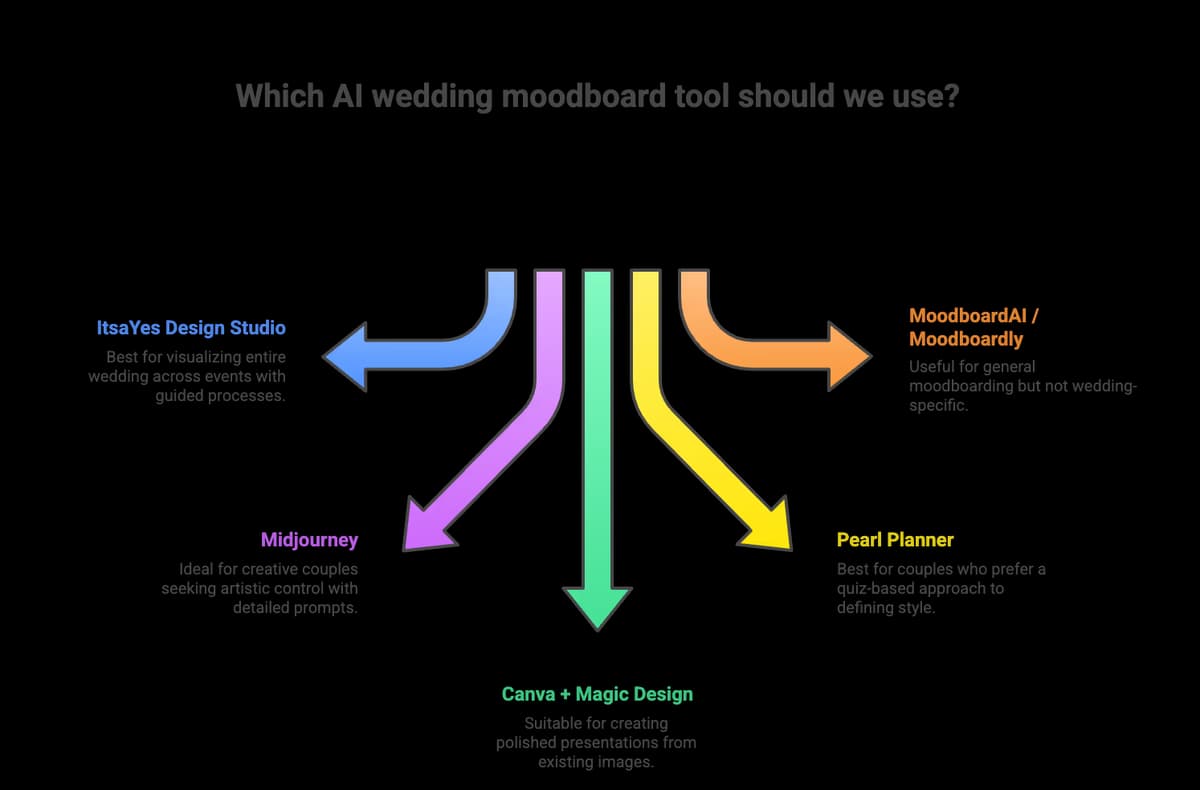
ItsaYes Design Studio
Best for: Couples who want to visualize their entire wedding across multiple events
ItsaYes is built specifically for wedding planning, and the Design Studio is where your vision comes to life.
How it works:
During onboarding, you share details about your wedding – style preferences, colors, cultural traditions. The AI immediately generates two moodboard images to get you started.
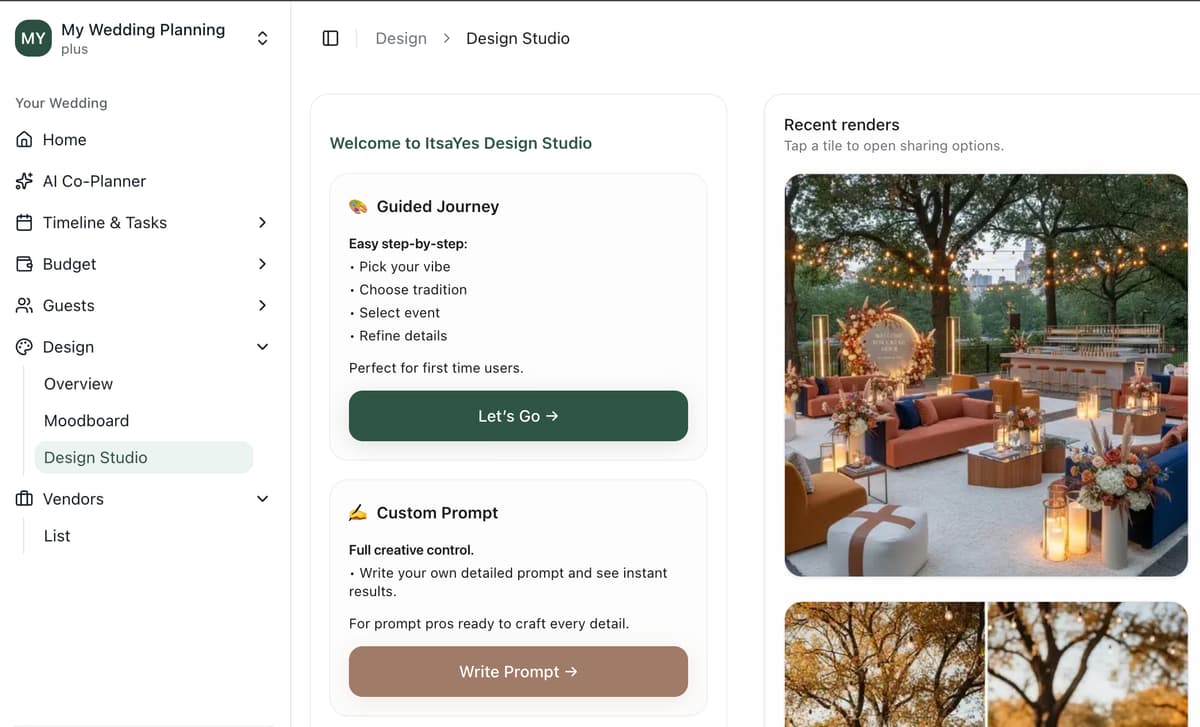
Then in the Design Studio, you have two paths:
Path 1: Prompt-based – Describe what you want in your own words, get an image generated.
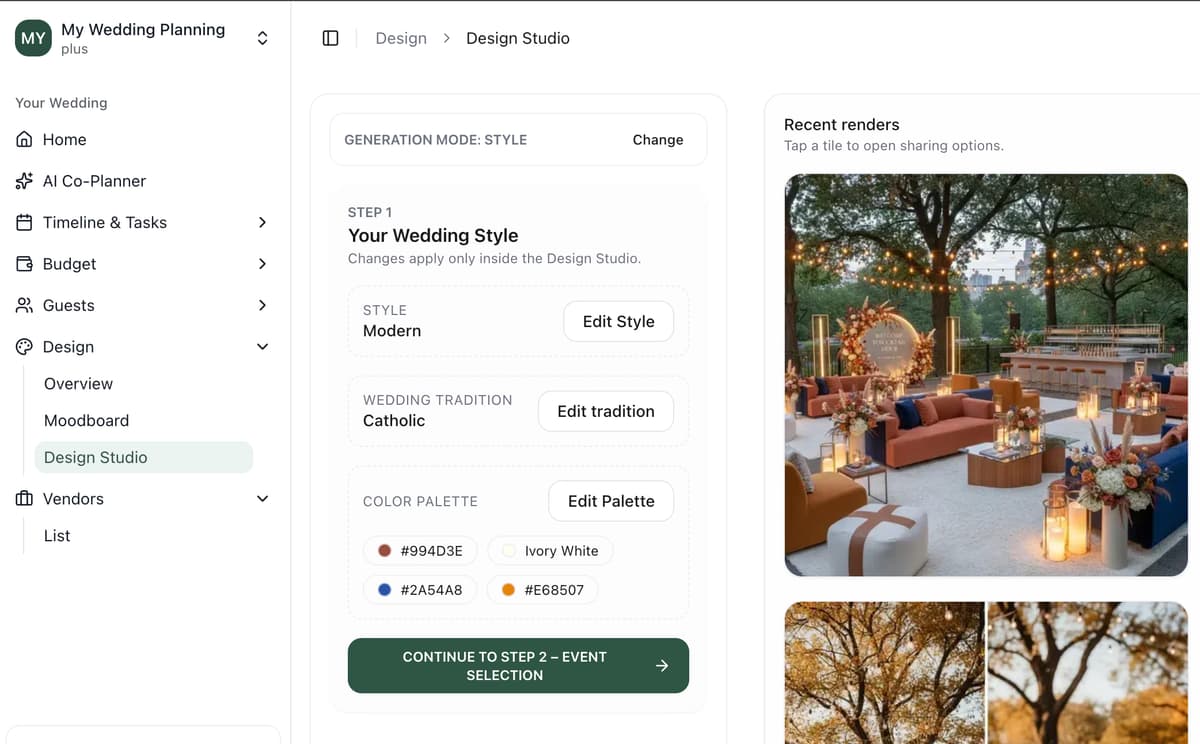
Path 2: Guided 3-step process:
- Select your style, colors, and traditions (religious, civil, cultural elements...)
- Choose the event type (Ceremony, Welcome Dinner, Reception, Brunch, and more)
- Pick the details – table arrangements, floral style, food presentation etc..
You can also upload inspiration images as references, sending them along with your prompt for more targeted results.
Pricing: 3 free generations to start, then ~$15/month for ~60 images.
Why it stands out: It's the only tool that walks you through wedding-specific events systematically. You're not just generating random pretty images – you're building a complete visual plan for your entire wedding.
Midjourney
Best for: Creative couples comfortable with technology who want maximum artistic control
Midjourney produces stunning, artistic images. Many of those jaw-dropping AI wedding images you've seen on social media? Probably Midjourney.
How it works: You write detailed prompts describing exactly what you want. The more specific you are, the better the output.
Example prompt: "Romantic garden wedding ceremony, wooden arch covered in white roses and eucalyptus, late afternoon golden hour lighting, guests seated in wooden chairs, soft natural tones, photorealistic style --ar 16:9"
Pricing: ~$10/month for the basic plan
The catch: There's a real learning curve. You'll spend time learning prompt structure, understanding parameters, and iterating through multiple generations. For some couples, this is fun. For others, it's a frustrating detour from actual wedding planning.
Canva + Magic Design
Best for: Creating polished moodboard presentations from existing images
Canva isn't really an AI image generator for weddings – it's a design tool with AI features. You can use it to arrange images into beautiful moodboard layouts, and the AI helps with design suggestions.
How it works: Import images (from Pinterest, from AI tools, from anywhere), arrange them in templates, use AI to suggest color matching and layouts.
Pricing: Free tier available, Pro at ~$13/month
Best used as: The presentation layer. Generate your images elsewhere, polish them into a shareable moodboard in Canva.
Pearl Planner (David's Bridal)
Best for: Couples who want a quiz-based approach to defining their style
Pearl Planner uses a visual quiz to understand your preferences, then builds a vision board from curated images.
How it works: You're shown wedding photos and click the ones that resonate. The AI analyzes your choices and builds a board that matches your taste.
Pricing: Free
The limitation: It's pulling from existing images, not generating new ones. So you're still seeing other people's weddings – just better curated to your taste.
MoodboardAI / Moodboardly
Best for: General moodboarding (not wedding-specific)
These tools generate mood boards for various purposes – interior design, fashion, branding, and yes, weddings.
How it works: Select aesthetic categories, styles, colors, and the AI generates a mood board.
The limitation: Not optimized for weddings specifically. Can be useful for textures and color palettes, but won't generate wedding-specific visualizations.
The Verdict
For most couples, here's my recommendation:
- Start with ItsaYes Design Studio to generate actual visualizations of your wedding events
- Use Canva to polish everything into a presentation-ready format
- Keep Pinterest for vendor research and real wedding inspiration (not for planning)
If you're technically inclined and want maximum creative control, add Midjourney to the mix. But for most people, it's overkill for wedding planning.

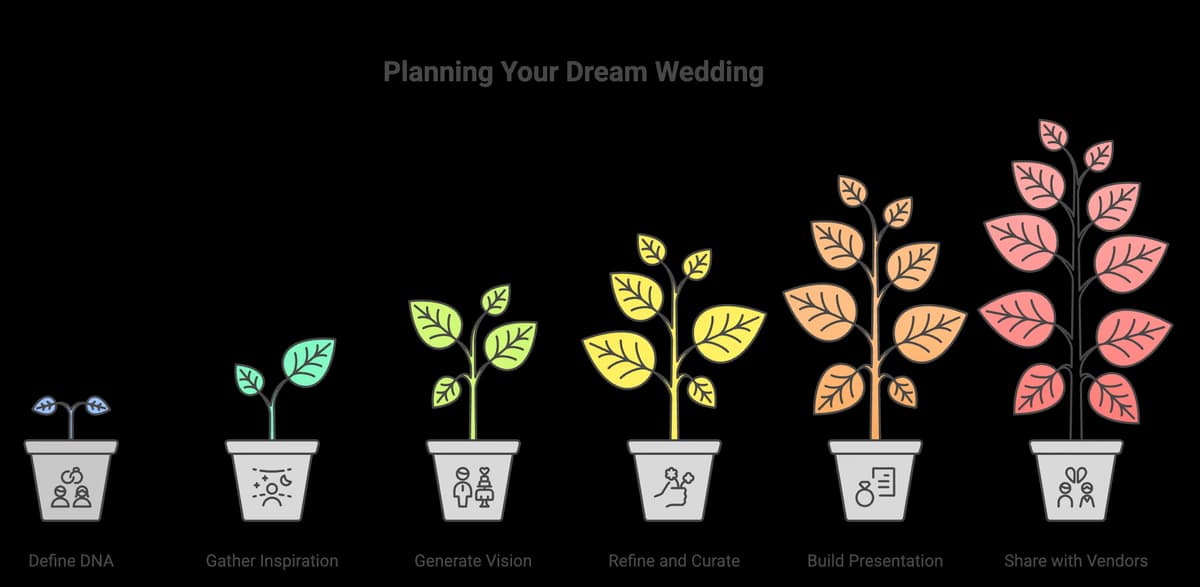
Step 1: Define Your Wedding DNA (Before Touching Any Tool)
AI is powerful, but it needs direction. Before you generate a single image, answer these questions:
The basics:
- Indoor or outdoor?
- What season and time of day?
- How many guests (intimate vs. large celebration)?
The feeling:
- What 3 words describe the atmosphere you want? (romantic, whimsical, elegant, relaxed, dramatic, intimate, joyful...)
- What should guests FEEL when they walk in?
The aesthetics:
- What colors do you love?
- Equally important: what colors do you HATE?
- Any textures or materials you're drawn to?
The context:
- Any cultural, religious, or family traditions to incorporate?
- What's the venue like (or what type of venue are you imagining)?
Write these down. This becomes your brief – the foundation everything else builds on.
🎯 Don't skip this step. Jumping straight into AI generation without clarity is just Pinterest scrolling with extra steps.
Step 2: Gather Raw Inspiration (But Be Ruthlessly Selective)
Now you can look at inspiration – but with a limit.
The rule: Maximum 20-30 images total.
Not 300. Twenty to thirty carefully chosen images that genuinely represent what you want.
For each image, ask yourself:
- WHY do I love this? (Write it down!)
- Is it the colors? The mood? The florals? The venue style?
- Does it align with my 3 words from Step 1?
Pro tip: Don't limit yourself to wedding images. Some of the best moodboard inspiration comes from:
- Interior design photos (they nail color palettes)
- Fashion editorials (great for texture and styling)
- Travel photography (atmosphere and lighting)
- Art and film (mood and emotion)
Look for patterns in what you're saving. What keeps appearing? Those patterns are your style trying to tell you something.
Step 3: Generate Your Vision with AI
Now it's time to actually create.
Using ItsaYes Design Studio:
If you haven't already, go through the onboarding to set your base preferences. You'll get two initial moodboard images right away.
Then enter the Design Studio and choose your path:
For the guided experience:
-
Step 1 – Set your style, colors, and traditions
- Pick your overall aesthetic (modern, romantic, bohemian, classic...)
- Select your color palette
- Indicate any cultural or religious elements
-
Step 2 – Choose the event
- Ceremony, Welcome Dinner, Reception, Brunch, and more
- Each event type has tailored options
-
Step 3 – Customize the details
- Table arrangements
- Floral style
- Food presentation
- And more specific options per event

For more control:
Use the prompt-based generation. Describe exactly what you want in your own words. Want to see "intimate candlelit dinner with terracotta and sage, Mediterranean influence, family-style seating"? Just type it.
You can also upload an inspiration image as a reference – it gets sent along with your prompt to guide the generation.
The key: Generate multiple versions. Try different color temperatures. Experiment with different times of day. See your ceremony with more florals, then fewer. React, refine, repeat.
Step 4: Refine and Curate
After generating, you'll have plenty of options. Now comes the editing.
Keep only 10-15 images maximum for your final moodboard. This is hard, but essential.
For each image, ask:
- Does this still align with my 3 words?
- Does it work with the OTHER images on the board?
- Would I be happy if my actual wedding looked like this?
The cover test: Try covering half your moodboard. Does the remaining half still feel cohesive? If yes, you have a strong vision. If it suddenly feels random, you have conflicting styles to resolve.
Delete anything that feels "pretty but not me." Ruthless curation is how good moodboards become great ones.

Step 5: Build Your Presentation
Now arrange your selected images into a shareable format.
If using Canva or similar:
- Create a single-page overview moodboard (the "at a glance" view)
- Optionally create separate pages for specific elements (florals, tablescapes, ceremony)
- Add your color palette swatches
- Include 3-5 key words that describe the vibe
Keep it simple. This isn't a PowerPoint presentation – it's a visual reference. Clean layout, minimal text, let the images speak.
Step 6: Share with Your Vendors
Your moodboard is ready. Now use it.
Send it to vendors BEFORE your first meeting. Let them review it and come prepared with reactions, questions, and suggestions.
In the meeting, use it as a touchpoint:
- "This is the overall feeling we're going for"
- "This table arrangement is exactly what we love"
- "The florals here are the right style, but in these colors instead"
Keep updating it as you make decisions. Booked your florist? Add her proposal images to the board. Found your stationery? Include it. Your moodboard is a living document until the wedding day.
Sharing Your Moodboard with Vendors (The Right Way)
A moodboard is only as useful as how you communicate it. Here's how to do it right.
Why Vendors LOVE a Good Moodboard
Wedding vendors see dozens of Pinterest boards weekly. Most are overwhelming, contradictory, or unclear.
A focused, curated moodboard tells them:
- This couple has done their homework
- They have a clear vision
- They'll be easier to work with
- We can create something amazing together
That's not just flattering – it's practical. Vendors can give you better proposals, more accurate quotes, and designs that actually match your vision.
What to Include When Sharing
The essentials:
- Your curated moodboard (10-15 images)
- 3-5 key words describing the vibe
- Your color palette (specific shades, not just "blue")
Equally important:
- What you DON'T want (often more helpful than what you do)
- Your budget range (helps them calibrate suggestions)
- Any non-negotiables
What NOT to Do
- ❌ Don't send 50+ images (it defeats the purpose)
- ❌ Don't expect exact replication (it's inspiration, not specification)
- ❌ Don't hide your budget (they'll guess wrong)
- ❌ Don't change your moodboard weekly (pick a direction and commit)
Pro Tip: Create Vendor-Specific Versions
Your florist doesn't need to see your table setting inspiration. Your photographer doesn't need your cake references.
Consider creating focused versions:
- For florist: Ceremony arch, bouquets, centerpieces, floral installations
- For photographer: Lighting mood, poses, candid moments, detail shots
- For venue/planner: Overall atmosphere, layout, decor style
Same vision, tailored presentation. Your vendors will appreciate the focus.
Common Mistakes to Avoid
Even with AI, moodboards can go wrong. Watch out for these traps:
1. Including Too Many Styles
"I want bohemian AND minimalist AND glamorous AND rustic."
That's not a moodboard. That's Pinterest overwhelm in a new format.
Pick a primary style. You can add touches of others, but there needs to be a clear direction. Bohemian with minimalist touches? Great. All four equally? Confusion.
2. Ignoring Your Venue
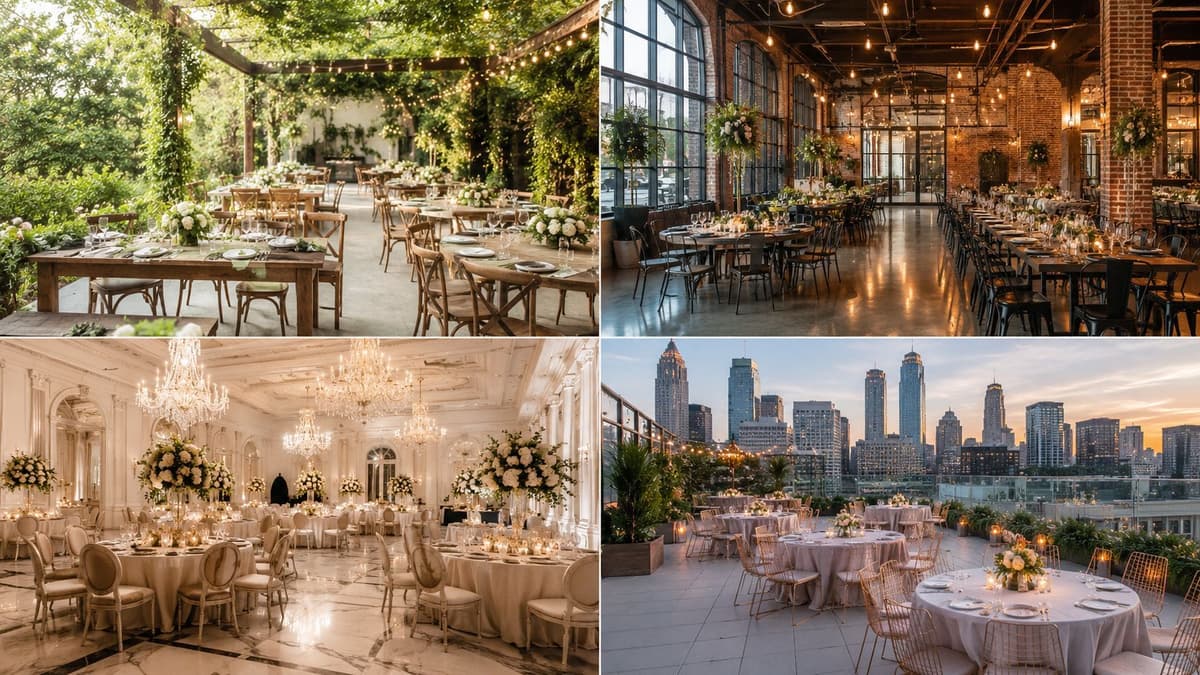
Your venue is the biggest visual element of your wedding. Work WITH it, not against it.
Industrial loft + romantic garden florals = disconnect Industrial loft + modern structured arrangements = cohesive
If you've already booked your venue, let it guide (not limit) your moodboard.
3. Forgetting About Lighting
The same decor looks completely different at 2pm vs 6pm golden hour vs candlelit evening.
Include time-of-day considerations in your AI prompts and image selection. Morning ceremony light is different from cocktail hour ambiance.
4. Only Using Wedding Images
Sometimes the best inspiration isn't from weddings at all.
Interior design, fashion editorials, travel photography, fine art – these can all contribute to a wedding moodboard. Don't limit yourself to "wedding" searches.
5. Never Updating It
Your moodboard should evolve as you make decisions.
Booked a venue? Update the moodboard to reflect it. Chose your dress? Add elements that complement it. Final floral meeting? Include those actual designs.
Treat it as a living document, not a frozen Pinterest board.
6. Treating AI Images as Guarantees
AI visualizations are inspiration, not specifications.
The exact flower variety, the precise shade of fabric, the specific chair style – these will be determined by real-world availability, budget, and your vendors' expertise.
Use AI images to communicate direction, not to demand exact replication.
Your Next Step
Here's what separates couples who nail their wedding aesthetic from those who end up with "it was fine, not quite what I pictured":
The first group takes time to actually SEE their vision before planning. The second group hopes it'll all come together somehow.
You've been scrolling Pinterest for months. You have the inspiration. What you're missing is the visualization – seeing YOUR wedding, not fragments of other people's celebrations stitched together.
That's exactly what AI makes possible now.
Ready to stop scrolling and start seeing?
Create your free wedding moodboard with ItsaYes →
In minutes, you can generate actual visualizations of your ceremony, reception, and every moment in between. No design skills required. No prompt engineering. Just your vision, brought to life.
Your wedding should look like YOU. Let's make that happen.
Want the complete AI wedding planning toolkit? Check out our Ultimate AI Wedding Planning Guide (2025) for everything from budget management to vendor coordination.