Wedding Timeline Templates: Canva vs. Wedding Planning tools
Author
A Canva wedding day timeline template lets you create a free, personalized schedule you can print for your big day. You can change the colors and style to match your wedding. But if your makeup artist texts at 9:47 AM to say she's stuck in traffic, or your venue coordinator calls three days before to change your load-in time, your PDF is suddenly out of date.
After reviewing thousands of wedding timelines with ItsaYes, we found something surprising: 61% of PDF schedules are already outdated by mid-morning on the wedding day. It's not because couples didn't plan well. When you're managing 7 vendors, 80 guests, and an 8-hour event, things change quickly. The 30/5 Rule means a task you expect to take 5 minutes could actually take 30 on your wedding day.
Static vs Digital Itineraries
You can get static templates from Canva, Etsy, or as freebies from photographers. You download the design, make your changes, export the PDF, and send it out. Digital itineraries like ItsaYes, on the other hand, create personalized schedules that update automatically when plans change.
Static templates are best for things like framed displays, printed schedules for welcome bags, planning discussions, and for couples who like using spreadsheets.
Wedding planning tools are helpful when you're working with more than 10 vendors, your venue has strict timing rules, changes affect many parts of the day, or your ceremony includes special cultural traditions.
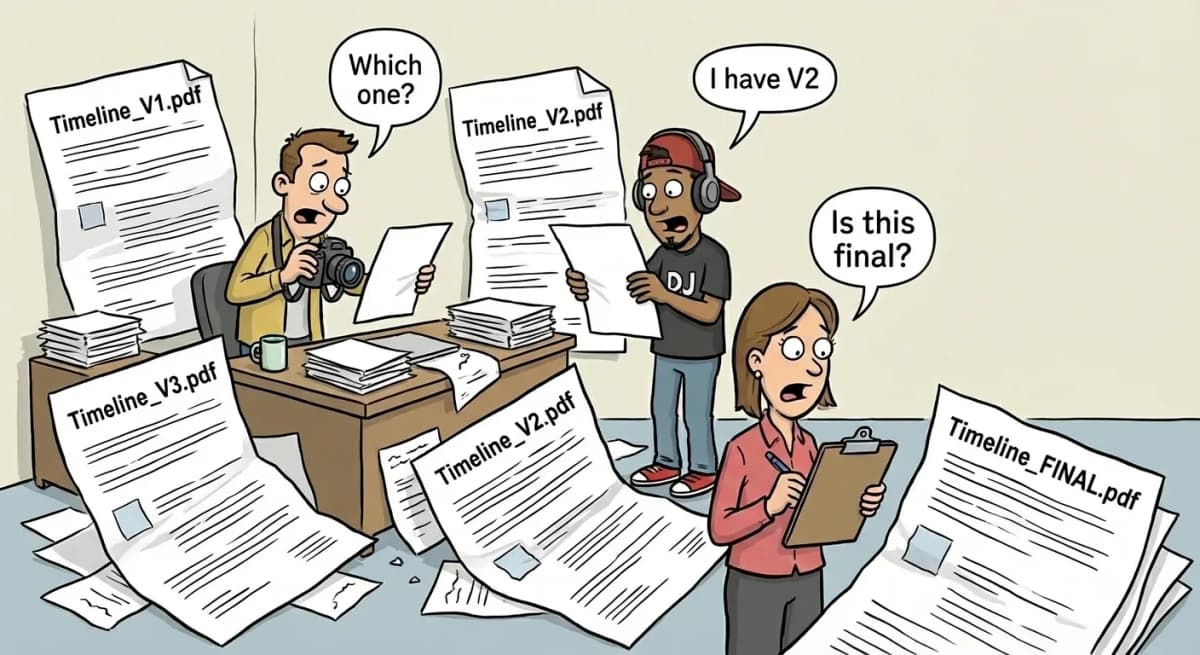
Here's how it usually goes: You spend hours making your Canva template. You send the PDF to your vendors and the wedding party. Two weeks later, the venue changes the load-in time, so you update and send Timeline_V2.pdf. Then a stylist needs more time, so you make Timeline_V3.pdf.
Your photographer wants a lighting change, so you create Timeline_FINAL.pdf. But the DJ never saw V3; someone prints V2; the coordinator uses FINAL; and some bridesmaids still have the original.
The 30/5 Rule hits different when you experience it.
Your Canva template allots 15 minutes for family photos. Reality: You need about 3 minutes per group of 4. Eight groups mean 24 minutes minimum. Grandma moves slowly. Uncle Bob needs his glasses. Static templates can't calculate this.
Canva Editing Guide
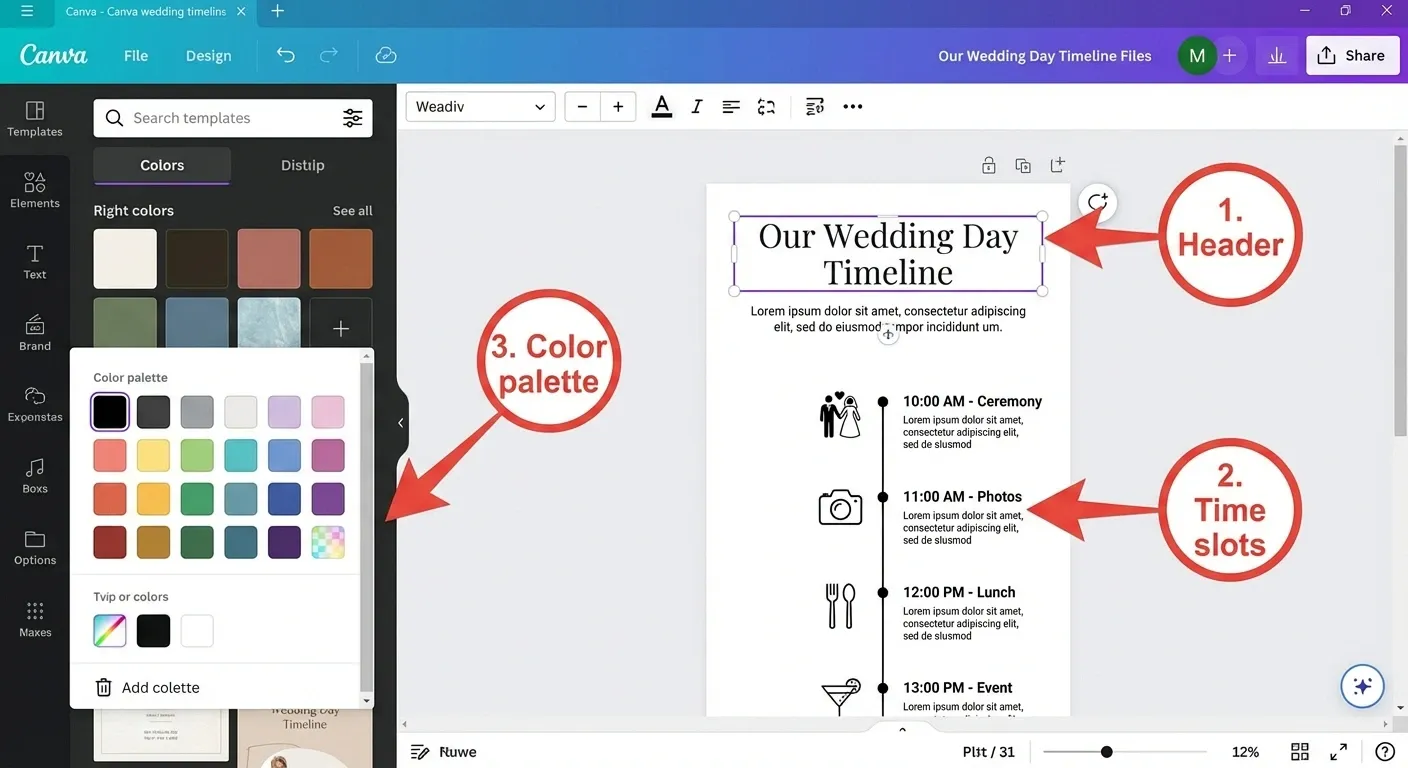
Search Canva for "wedding timeline" and pick a template with flexible text boxes. Customize the header with names and dates. Update time slots accurately. Keep descriptions specific—"First Look at Garden Fountain" tells your photographer exactly where to go.
Include details that templates often miss, such as when vendors arrive (not just when events start), time for transitions like moving 150 people in 20 minutes, 15-minute buffers between activities, your coordinator's cell number, and what to do if the weather changes.
Some common mistakes include giving only 30 minutes for hair when stylists need 45 minutes per person, forgetting venue rules like a 90-minute load-in at museums, or failing to consider the flow of the day. For example, a ceremony at 4:30 and first dance at 6:00 might look fine until you add a 10-minute guest transition, 30 minutes for portraits, and 20 minutes for setup. Canva for pretty displays. Verify timing separately with our complete wedding day timeline guide
Why PDFs Fail in 2026
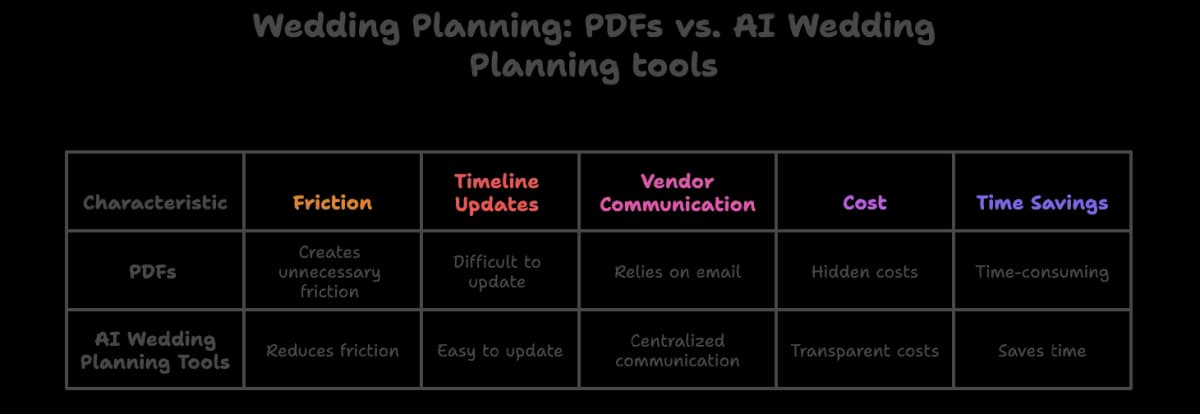
Static documents made sense with binders and faxes. Now you handle RSVPs online, text vendors, and get invoices by email. PDFs create unnecessary friction.
Emily and Jordan's 5:30 PM garden ceremony looked perfect. Five days earlier, storms were forecast. They moved indoors, adjusting lighting, acoustics, and spacing, and pushing the ceremony to 4:00 PM. Emily spent four hours rebuilding the timeline. Three of 12 vendors missed the email update. Chaos ensued.
Timeline panic happens when delays pile up. The makeup artist is 30 minutes late at 9:00 AM, hair is running 45 minutes behind at 11:30 AM, the bride gets dressed late at 1:45 PM, and the first look is 45 minutes behind at 2:15 PM. Meanwhile, your PDF still says "4:00 PM Ceremony" as guests arrive and everyone tries to adjust.
Free Canva templates actually cost: 3 hours for initial setup, 2 hours for rebuilding (happens 3-4 times), 1 hour for managing distribution = 8 hours at $50/hour = $400. Digital tools cost $15-49/month and generate timelines in 30 seconds.
Digital AI Timelines: The Future
Modern platforms handle timelines differently from printable schedules. They build coordination systems that understand how weddings actually work.
ItsaYes takes your specifics and builds around actual logistics. Wedding date and location? Calculates the exact sunset for golden hour. Ceremony type? Knows Catholic mass needs 60 minutes, civil ceremony 20, Jewish ceremony with tisch and bedeken 45. Venue type? Builds in museum load-in restrictions (90 minutes) versus flexible private estates.
The system knows that family formal photos take about 3 minutes for each group of 4 people. It also warns you if you're planning an outdoor ceremony at 2 PM in August or trying to fit too many activities between the ceremony and dinner.
ItsaYes includes an AI assistant you can use to discuss your timeline. Ask "Why 20 minutes between ceremony and cocktail hour?" or "What if the ceremony runs 15 minutes long?" The assistant explains the reasoning based on real wedding data.
When plans change, digital tools really show their value. If you move the ceremony from 4:00 to 5:00 PM, the photo schedule updates, cocktail hour shifts, and golden hour is recalculated based on the new sunset time.
Ready to build your complete wedding plan? Your timeline is just one piece. See how everything connects when you plan with tools that automatically adjust to your specific venues, travel logistics, and preferences.
Start planning for freeTools like ItsaYes help manage the complexity of modern weddings, where everything is connected.
Try the ItsaYes Itinerary Tool to make a personalized schedule in just 30 seconds. The AI assistant will explain why certain time buffers are important and suggest changes that first-time planners often overlook.
Frequently Asked Questions
Can I use Canva templates for free?
Yes, Canva offers hundreds of free wedding timeline templates. You can customize colors, fonts, and text without paying. Premium templates cost $1- $15 on Etsy.
How long does it take to customize a Canva wedding timeline?
Most couples spend 2-3 hours customizing their timeline at first. Plan for another 2 hours to update it after changes, which usually happens 3-4 times during planning.
What's the biggest problem with PDF timelines?
Version control is the biggest problem. Every time you make a change, you have to export a new PDF and email it to everyone. Vendors often end up with different versions, which leads to confusion on the wedding day.
Do I need a digital timeline if I have a wedding coordinator?
Coordinators actually prefer digital timelines because one change automatically updates everything. With PDFs, they manually recalculate all downstream effects and hope they caught every dependency.
How does ItsaYes calculate golden hour for photos?
ItsaYes uses your wedding date and venue location to find the exact sunset time. It then schedules golden-hour portraits 20 minutes before sunset, when the lighting is best.
Can digital tools handle the timing of cultural ceremonies?
Yes. ItsaYes knows that Catholic ceremonies take 60 minutes, Jewish ceremonies with tisch and bedeken take 45 minutes, and Hindu ceremonies can last over 2 hours. It automatically sets the right amount of time.